Excel-like formulas
Actuaries can get started with familiar formulas, without learning a new coding language. Exakt adds operations beyond Excel's built-in functions.
Rating deployment
Bring existing formula logic, supported legacy models, Exakt models, and lookup tables into one governed rating definition. Test it, approve it, and deploy the same version through a production API.
A home for the existing estate
Bring current models or lookup tables into a structured platform through the supported migration path, then improve them without replacing everything at once.
Actuaries can get started with familiar formulas, without learning a new coding language. Exakt adds operations beyond Excel's built-in functions.
Combine supported legacy model outputs, Exakt models, and multidimensional lookup tables within the product limits.
Mix existing and new components while keeping the calculation versioned and testable.
Product workflow
Supported functions, model formats, lookup dimensions, and production controls are confirmed for each implementation.
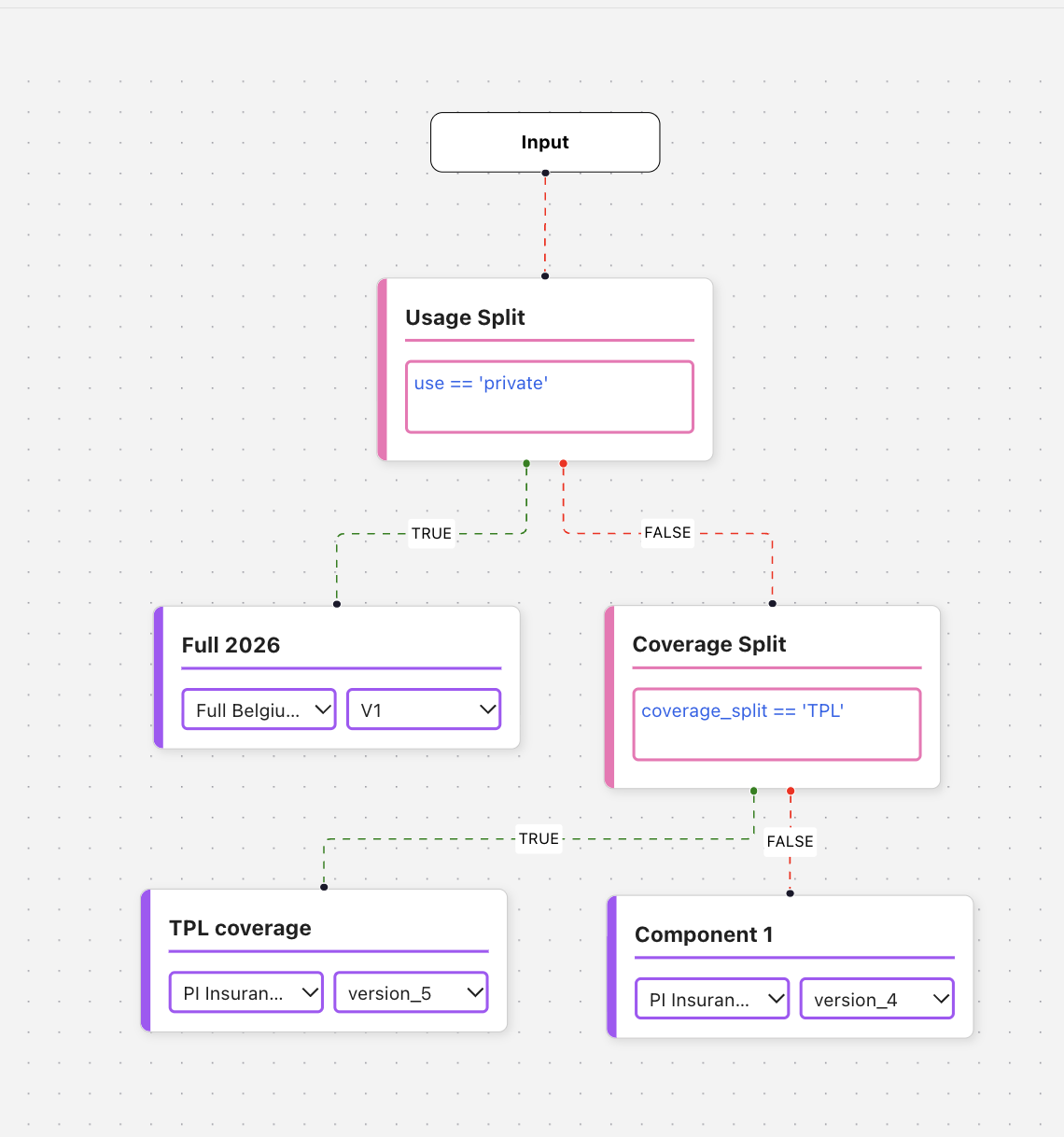
Compose formulas, supported models, and lookups, then review the calculation and its dependencies before testing it for release.
LTV=list_multiply(list_apply(Lapse_prob,lambda x: (1-x)),premium_delta)lapse_condition_mask = list_apply(Lapse_prob, lambda x: if(x <= 0.35
, 1
, 0
))delta_condition_mask = list_apply(premium_delta, lambda x: if(x <= 150
, 1
, 0
))filtered_LTV_values = list_multiply(LTV,delta_condition_mask,lapse_condition_mask)max_LTV = list_max(filtered_LTV_values)best_scenario = coalesce(scenarios[list_position(LTV,max_LTV)],scenarios[list_position(scenarios, 1.00
)])office_premium = coalesce(round(best_scenario * Total_PP * 1/0.7
,2
),Total_PP)Keep testing and production separate, then promote the approved calculation without changing its logic.
Review quote volume, response times, failures, and defaults for the selected version, then open a calculation trace when a result needs investigation.
Successful quote rate overlaid on hourly volume.
Request processing and model inference time.
Excel-like formulas
Actuaries can get started without learning a new coding language. Use familiar formula syntax to build rates, then draw on operations beyond Excel's built-in functions, including supported models and lookup tables.
LTV=list_multiply(list_apply(Lapse_prob,lambda x: (1-x)),premium_delta)lapse_condition_mask = list_apply(Lapse_prob, lambda x: if(x <= 0.35
, 1
, 0
))delta_condition_mask = list_apply(premium_delta, lambda x: if(x <= 150
, 1
, 0
))filtered_LTV_values = list_multiply(LTV,delta_condition_mask,lapse_condition_mask)max_LTV = list_max(filtered_LTV_values)best_scenario = coalesce(scenarios[list_position(LTV,max_LTV)],scenarios[list_position(scenarios, 1.00
)])office_premium = coalesce(round(best_scenario * Total_PP * 1/0.7
,2
),Total_PP)Lookup tables
Keep factors, limits, and reference data in versioned tables alongside formulas and models. This example shows one input dimension; Exakt supports lookups with more than ten input dimensions when a rating structure needs them.
| AGEC | MTPL_FREQ | MTPL_SEV |
|---|---|---|
| MISSING | 1 | 1 |
| <= 0.5 | 1.38474446986 | 1.38209121485 |
| (0.5, 1.5] | 1.1576664828 | 1.12728754208 |
| (1.5, 2.5] | 0.932941844956 | 1.01984157847 |
| (2.5, 3.5] | 0.918630059007 | 0.992860448939 |
| (3.5, 4.5] | 0.964375623241 | 0.97938859414 |
| (4.5, 5.5] | 0.980607024405 | 0.988751095881 |
| (5.5, 6.5] | 0.996200882077 | 0.983183507692 |
| (6.5, 7.5] | 1.01019374151 | 0.98348197432 |
| (7.5, 8.5] | 1.01762922884 | 0.991939767816 |
| (8.5, 9.5] | 1.02120892421 | 1.01003084668 |
| (9.5, 10.5] | 1.03074293379 | 0.994609764902 |
| (10.5, 11.5] | 1.04611554271 | 0.98904327953 |
| (11.5, 12.5] | 1.051498568 | 0.978498677205 |
| (12.5, 13.5] | 1.05789230742 | 0.95680864923 |
| (13.5, 14.5] | 1.0552176781 | 0.96804151045 |
| (14.5, 15.5] | 1.03016531111 | 1.01874737923 |
Built in AI assistant
The assistant can propose a formula, explain existing code, check syntax, and help investigate a failed test. Every proposed change remains visible for user review. The assistant does not approve or release a rate.
Receives policyholder, policy, geography, and current-premium data, including:
age, gender, policy/product typesprev_premiumMUNI_IDConverts coded fields into labels and enriches the input using lookup tables. For example:
new_business is converted from 'Yes' / other into 1 / 0.C_C, C_GE_P, and IICIMUN are added.Produces total pure premium:
Total_PP = pred.Serious_PP + pred.Non_Serious_PPThe two components come from an upstream prediction package.
Testing and production
Separate endpoints, API keys, data access, and permissions between testing and production. Run test calls and parity checks, record the approval, set the A/B allocation and stopping rule, and promote the validated version. Retain attribution and a rollback path.
Live monitoring
Monitor quote volumes and response times as requests arrive. Inspect calculation traces to see the input, formula, model, lookup, factor result, default, or failure behind an unexpected price.
API and model lifecycle
Manage endpoints, API keys, rating versions, supported model formats, approvals, traffic allocation, rollback, and retirement in one lifecycle. Publish response time and throughput only with the test conditions and supported limits.
Exakt keeps the approved calculation intact from portfolio test to production request.